SurveyMonkey respondent sample
4 min read

How to set up redirects to work with SurveyMonkey respondent samples using the Painel TAP online survey respondent panel?
Understand that conducting surveys with the SurveyMonkey platform using respondent samples online is a valuable and effective approach to collect data and information in a variety of contexts.
Learn more about market research with an online respondent panel
SurveyMonkey respondent sample
Here are some reasons that highlight the importance of this approach:
- Access to a wide audience:
- SurveyMonkey allows you to reach a global audience, regardless of respondents' geographical location. This is especially useful for surveys targeting a diverse audience.
- Speed in data collection:
- Data collection through an online panel is generally faster than traditional methods, such as in-person or telephone interviews. This allows you to obtain results in a shorter period of time.
- Cost reduction:
- Conducting online surveys is often more economical than traditional methods, as it eliminates the need to print questionnaires, pay for phone calls, or travel.
- Ease of setup and distribution:
- SurveyMonkey offers a user-friendly interface that allows for quick and easy creation of custom questionnaires. You can distribute your questionnaires via email, social media, websites, or other digital channels with ease.
- Anonymity and honesty:
- Online surveys can offer a degree of anonymity to respondents, which may encourage them to be more honest in their answers. This is particularly useful when dealing with sensitive topics.
- Flexibility in data collection:
- The SurveyMonkey platform offers flexible data collection features, such as multiple-choice questions, rating scales, open-ended questions, and more. This allows you to adapt your survey to meet the specific needs of your study.
- Ease of data analysis:
- SurveyMonkey automatically generates reports and charts, which facilitates the analysis of results. You can identify trends, patterns, and insights more effectively.
- Real-time monitoring:
- With online surveys, you can track data collection progress in real time and adjust your strategy as needed. This is useful for ensuring you reach your desired sample.
- Scalability:
- SurveyMonkey is scalable and can be used to conduct small and large surveys, making it suitable for a variety of research projects.
- Secure data storage:
- The platform offers options to securely store collected data, ensuring the privacy and confidentiality of respondents.
In summary, the SurveyMonkey platform is a versatile tool that offers many advantages when conducting surveys with online respondent samples. It allows you to reach a wide audience, collect data efficiently, and analyze results effectively, making it a popular choice for researchers and professionals in different fields.
Recruitment of participants for online surveys
Setting up the SurveyMonkey respondent sample
After creating your survey in SurveyMonkey, follow these steps:
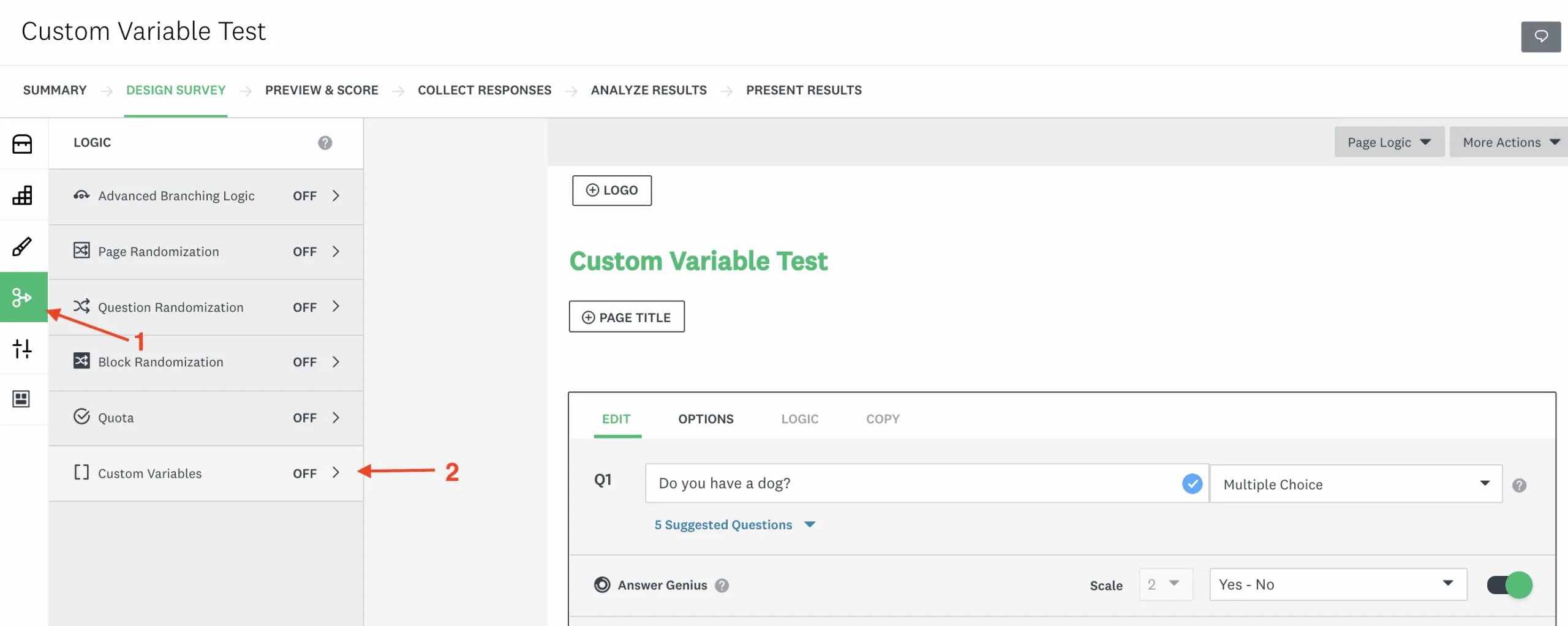
1) In the SurveyMonkey dashboard, select Create Survey > Logic > Custom Variable.
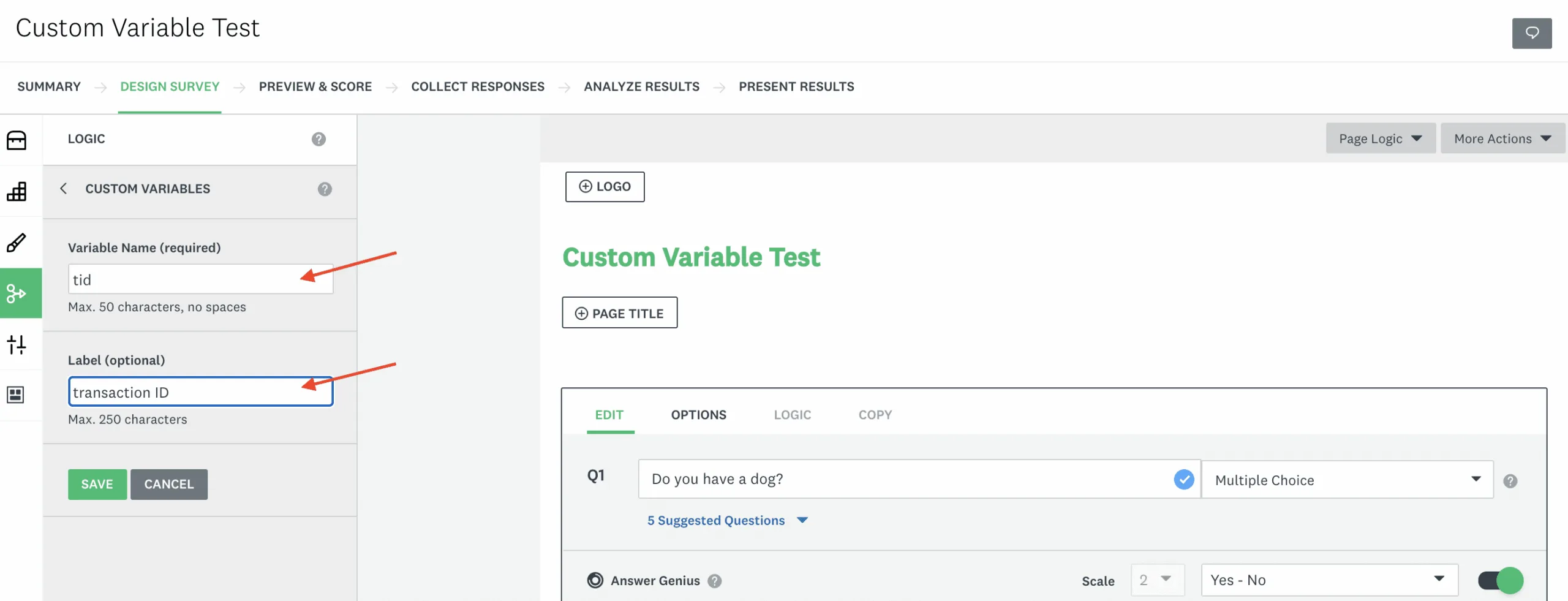
2) Create a new variable. Name the variable “tid” and label it “Transaction ID”.
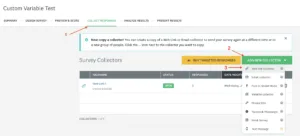
3) Go to the “Collect Responses” tab and select Add New Collector > Web Link Collector.
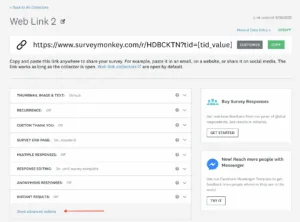
4) A web link will be generated. Then, select “Show advanced options”.
5) Painel TAP will send automatic redirect links, copy the “Out” and “Complete” redirect URLs.
- Example: https://paineltap.com.br/out
- Example: https://paineltap.com.br/complete
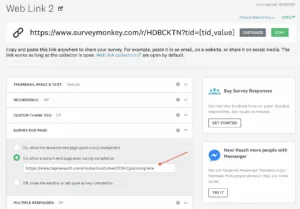
6) Return to SurveyMonkey and add the redirects for the custom survey end page and for custom disqualification (applicable only if you have disqualifying questions in your survey).
In “Survey End Page”, add the “Complete” redirect
Example: https://paineltap.com.br/complete
Remove all characters after “Complete”
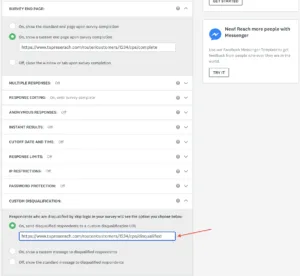
In “Custom Disqualification”, add the “Out” redirect
Example: https://paineltap.com.br/out
Remove any characters after “Out”
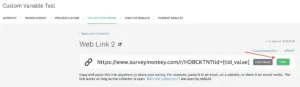
7) Go to the top of the current page and select “Copy” next to the web link
8) Now you are ready to test the survey. For additional help with testing, check out this help document!
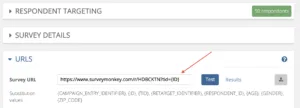
- Click the “Test” button and you will see a pop-up with a URL in the center of the screen.
- Click on this URL to enter your survey (you may need to allow pop-ups from TapResearch).
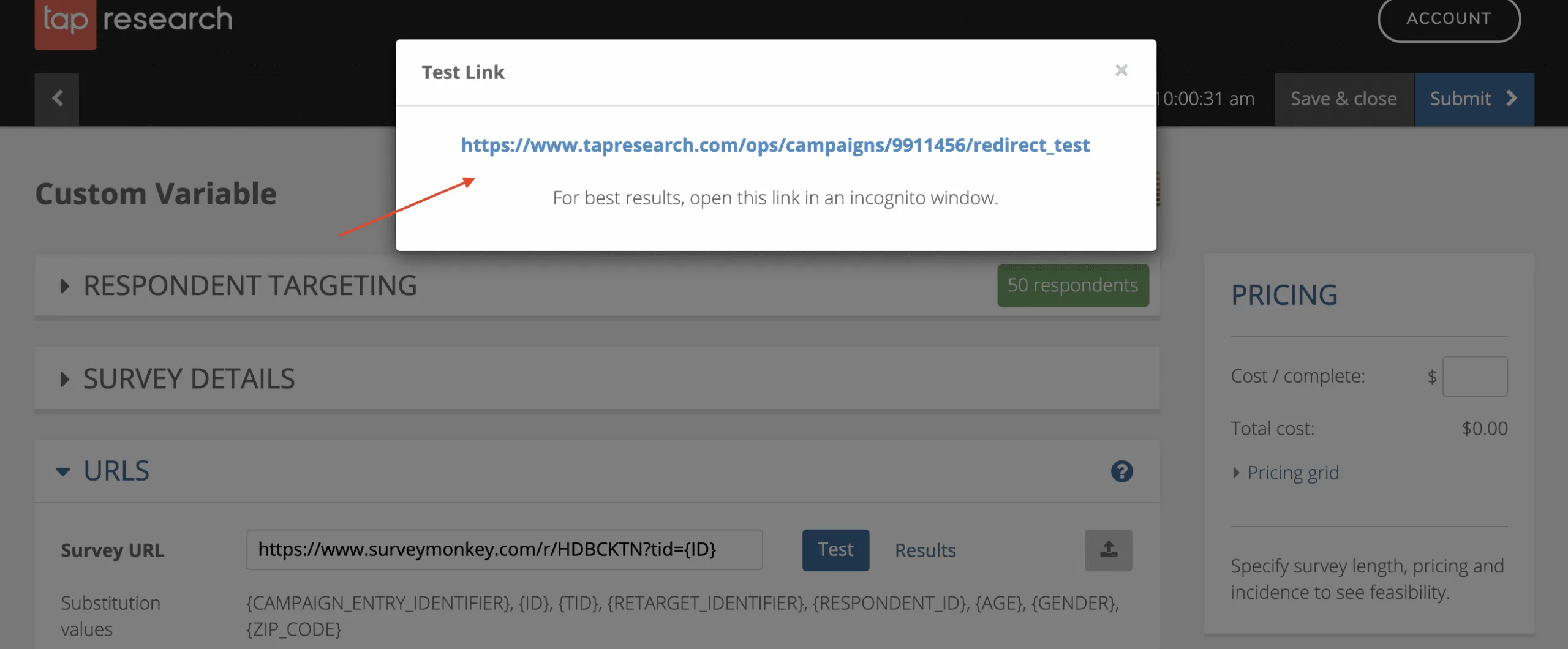
- If you have disqualification logic in place, try to trigger that disqualification logic by selecting an answer that should disqualify you from the survey. If everything is correct, you will be redirected to the following screen:
- Try testing your survey from start to finish, and when you reach the end of the survey, you may briefly see your “Thank You” or final page. Then you will be redirected to the following page:

Be sure to clear your SurveyMonkey results. To do this, go to “Collect Responses”, click the 3 dots next to the trash can, select “Clear all responses”. This will remove your test data from the final results.
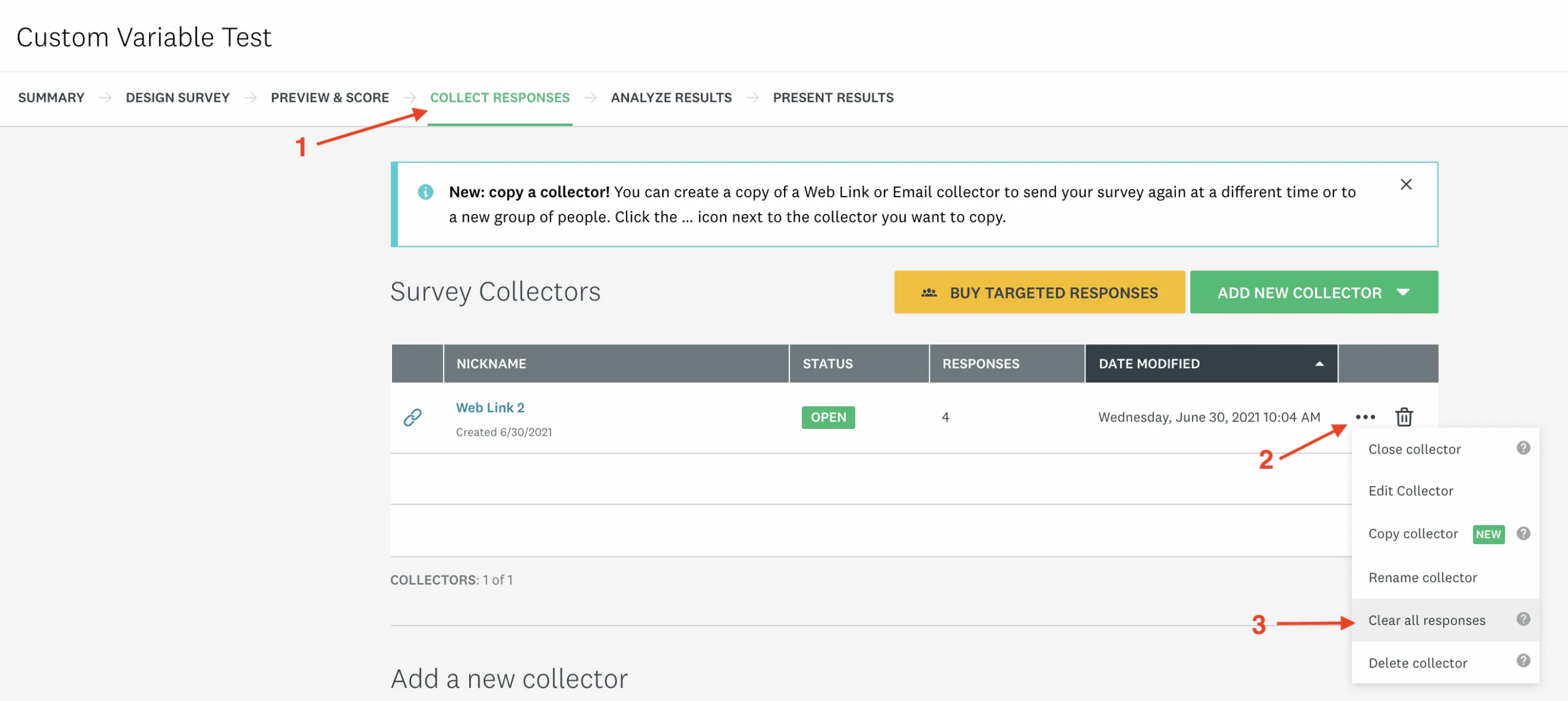
Congratulations! If you were able to see both pages correctly, your project is ready to launch.
Read also: Unveiling Sampling: The Key to Understanding Large Data Sets
Need market research with a respondent sample? Count on Painel TAP.
Behind Painel TAP is a team passionate about data and insight generation, who finds in each project a challenge to seek the best and fastest solution for the most diverse types of needs and demands in online surveys / market research.